
Inservio Spatial Studio: Interactive 3D Spatial Experiences for Apple Vision Pro
Discover Inservio Spatial Studio — the powerful platform to convert STEP files to USDZ and build immersive interactive 3D experiences optimized for Apple Vision Pro. Create step-by-step procedures, animations, quizzes, and checklists for spatial computing.

Inservio Spatial Studio: Create Immersive Interactive Experiences for Apple Vision Pro
Inservio Spatial Studio is a comprehensive platform designed to help enterprises and creators transform complex CAD models into rich, interactive spatial computing experiences optimized for Apple Vision Pro. With powerful tools for 3D model conversion, step-by-step guidance, animations, voice narration, quizzes, and practical checklists, you can build professional training, maintenance, and demonstration content faster than ever.
See Inservio Spatial Studio in Action
Watch our quick demonstration video to see how easily you can interact with 3D models, run step-by-step guided animations, and navigate through spatial quizzes directly on visionOS.
Explore Public Projects
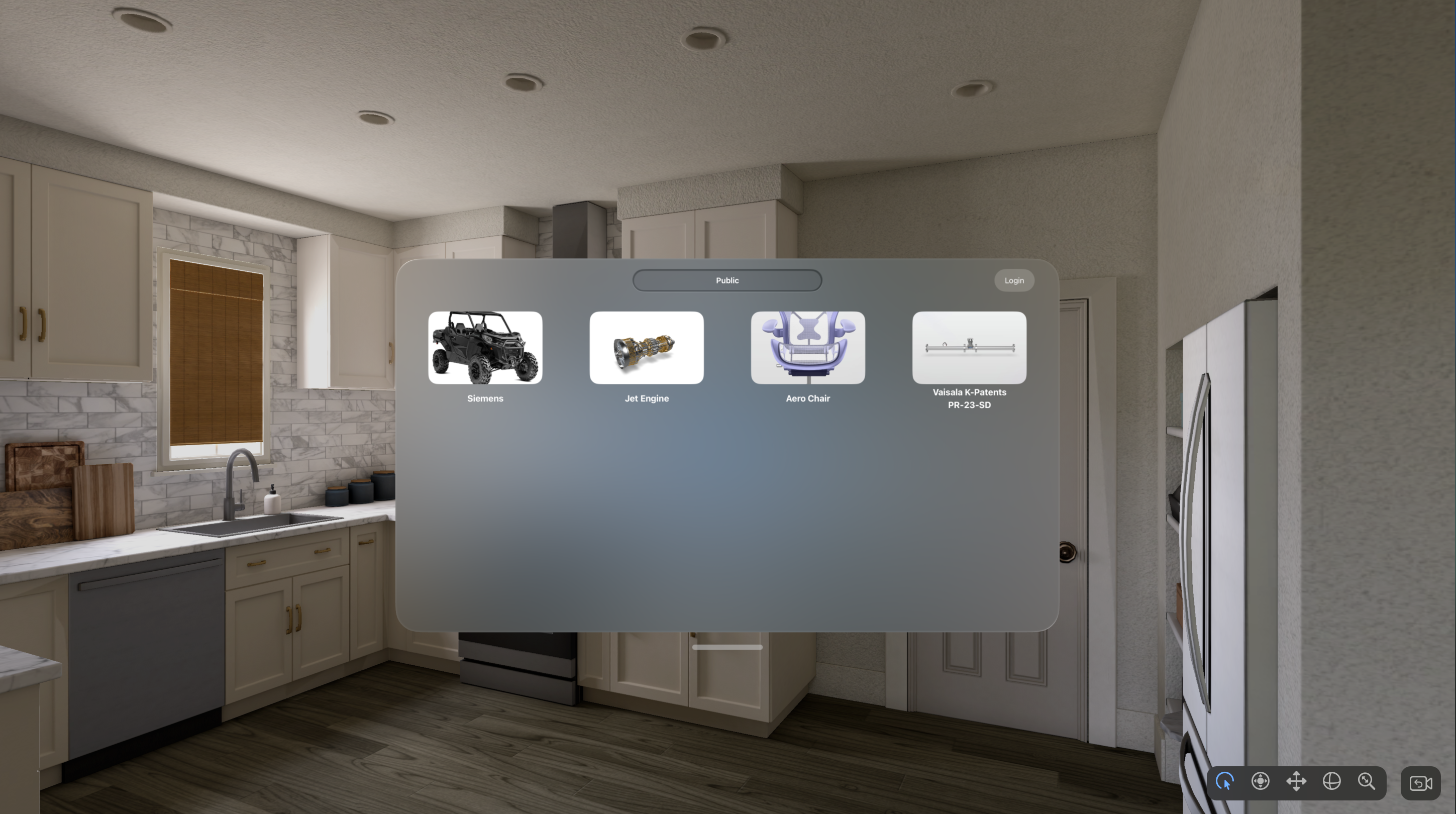
The Public Projects section allows anyone to browse and interact with high-quality 3D experiences without needing to log in. These public projects are ideal for demonstrations, marketing, and sharing knowledge openly. To access your private projects and full editing features, click the user icon in the top right corner to sign in.
Login to Access Your Workspace

Logging in gives you access to all your personal and team projects, full editing capabilities, and secure project management tools.
The Intuitive Spatial Builder Interface
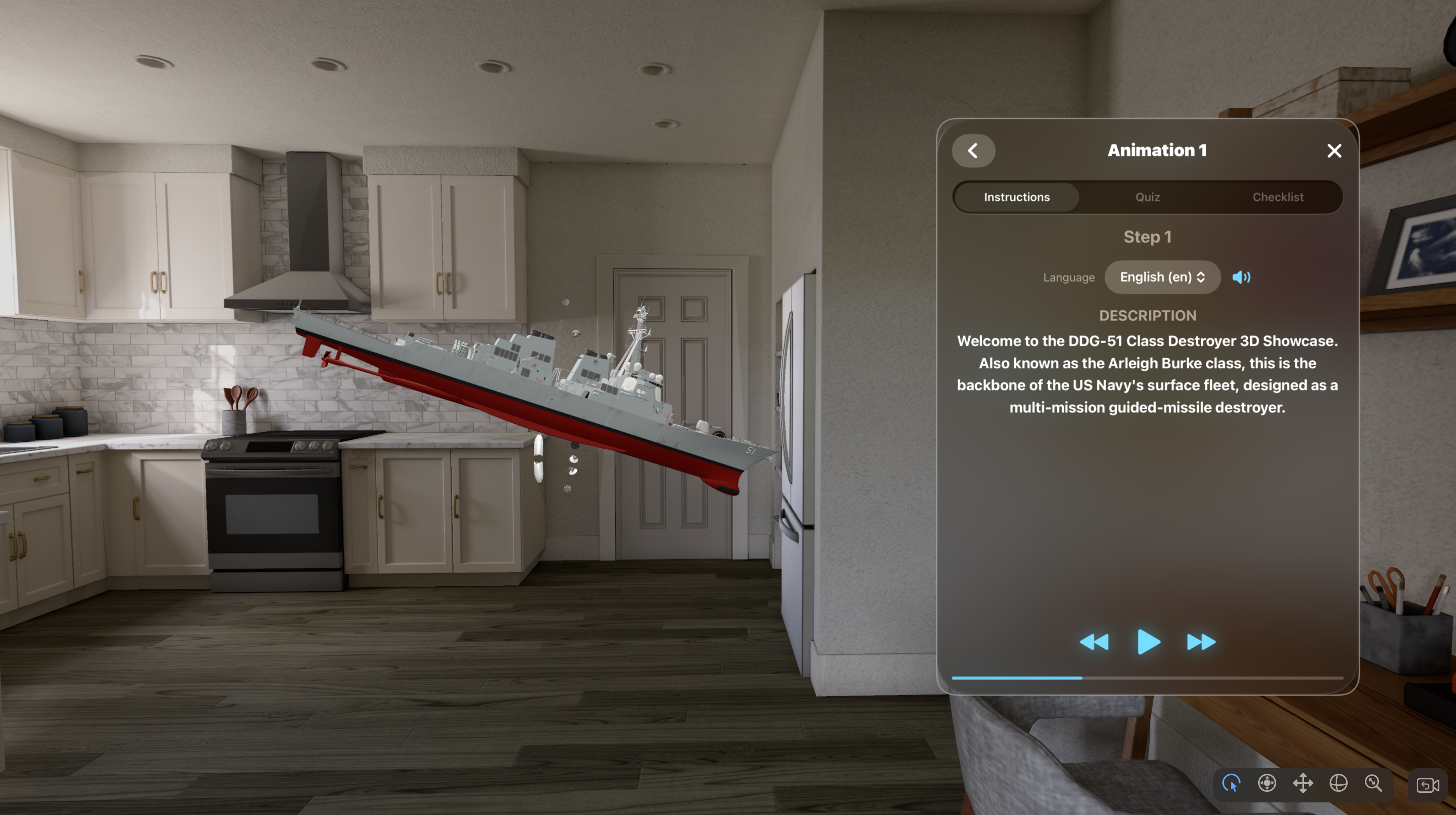
Inservio Spatial Studio’s Builder delivers a true spatial experience. The 3D model can be freely moved, rotated, and inspected from any angle in space. On the right side, users can easily switch between three powerful modes: Step, Quizzes, and Checklist.
Step-by-Step Guidance with Animation & Voice Narration
Each step displays clear instructions (supporting multiple languages). When you press Play, the system uses high-quality Text-to-Speech to read the content aloud while simultaneously triggering the corresponding animation on the 3D model. Every step can have its own unique animation sequence, making even the most complex procedures easy to understand and remember.
Quizzes – Test and Reinforce Knowledge
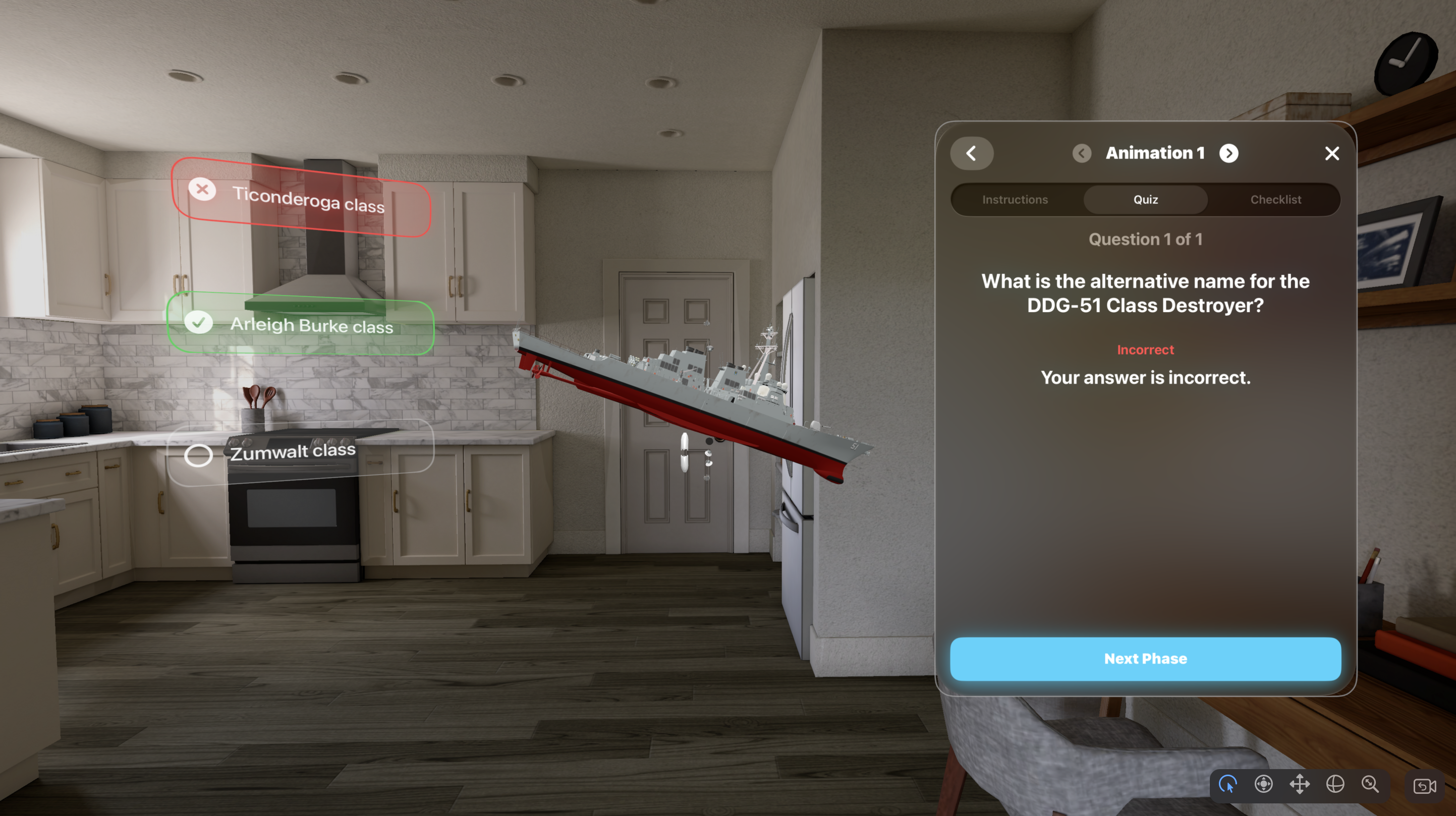
Each step can contain its own set of quiz questions. After watching the animation, learners are prompted with questions to evaluate their understanding. This interactive approach greatly improves knowledge retention and is highly effective for technical training and compliance programs.
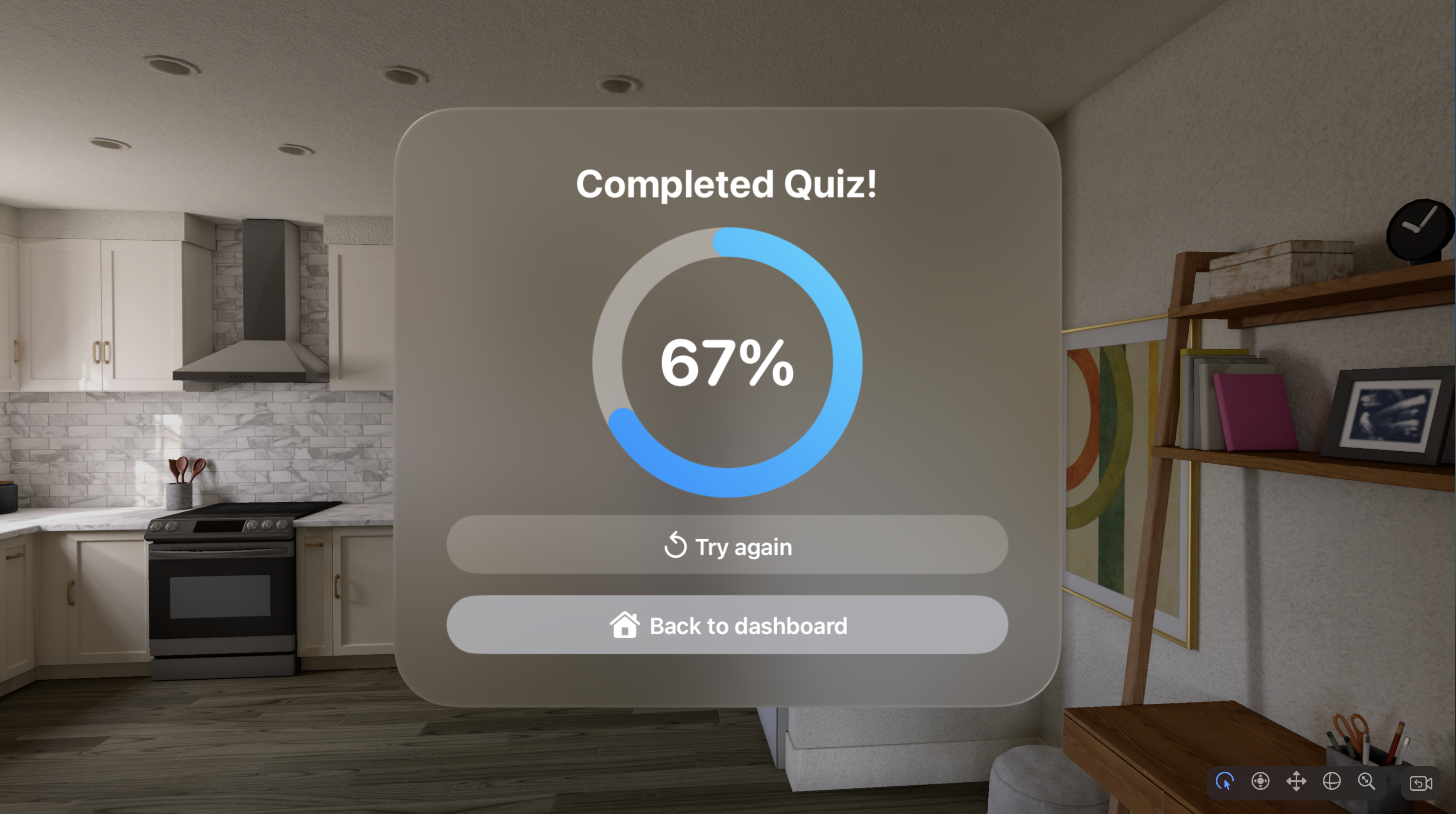
After finishing the quiz, users receive a detailed score report highlighting correct and incorrect answers.
Checklist Mode – Practical Performance Assessment
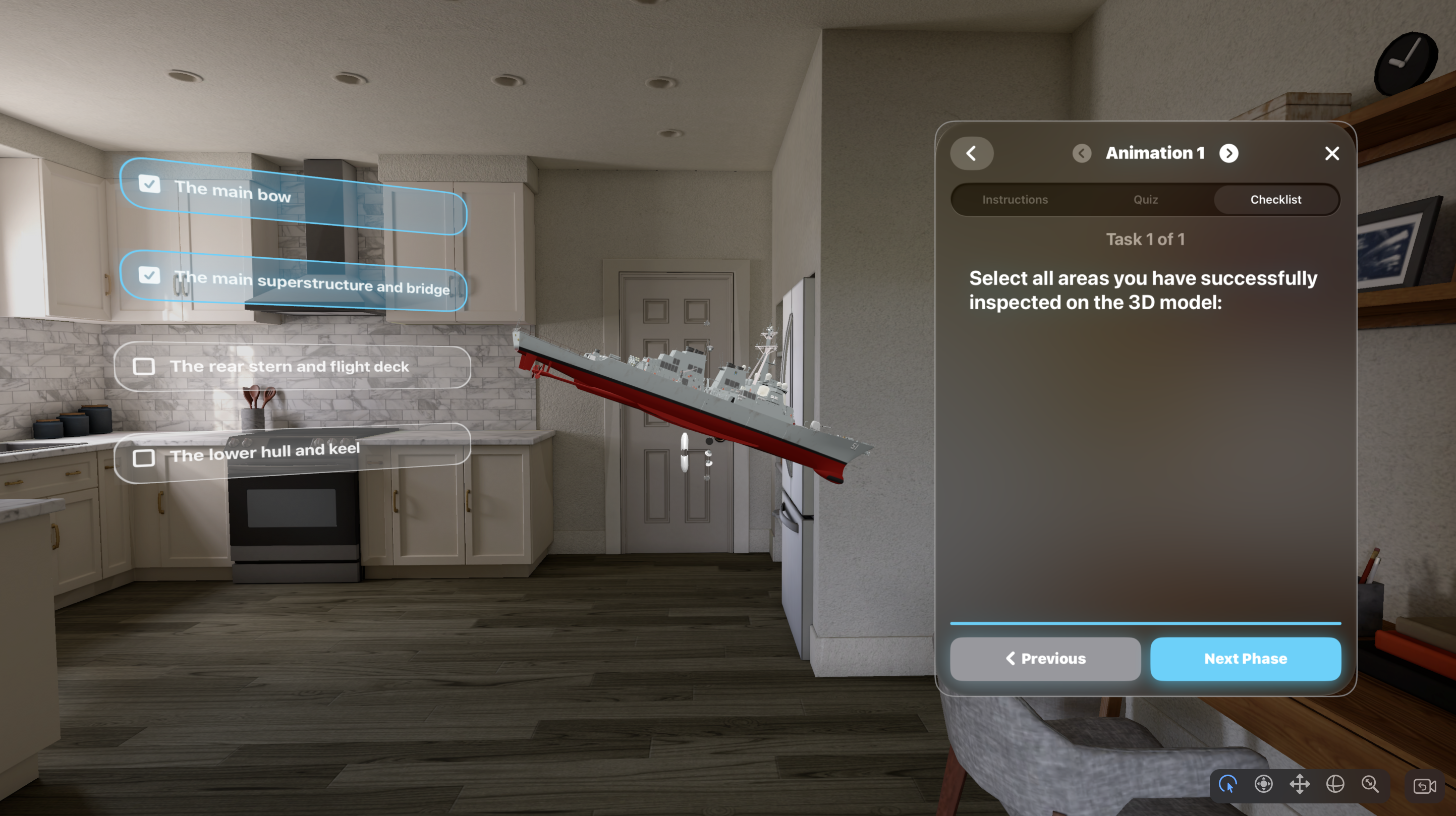
In Checklist mode, the system plays the complete animation sequence across all steps. After the full demonstration, users enter a password for security and then complete the assessment. Checklist questions often support multiple correct answers and focus on practical validation.
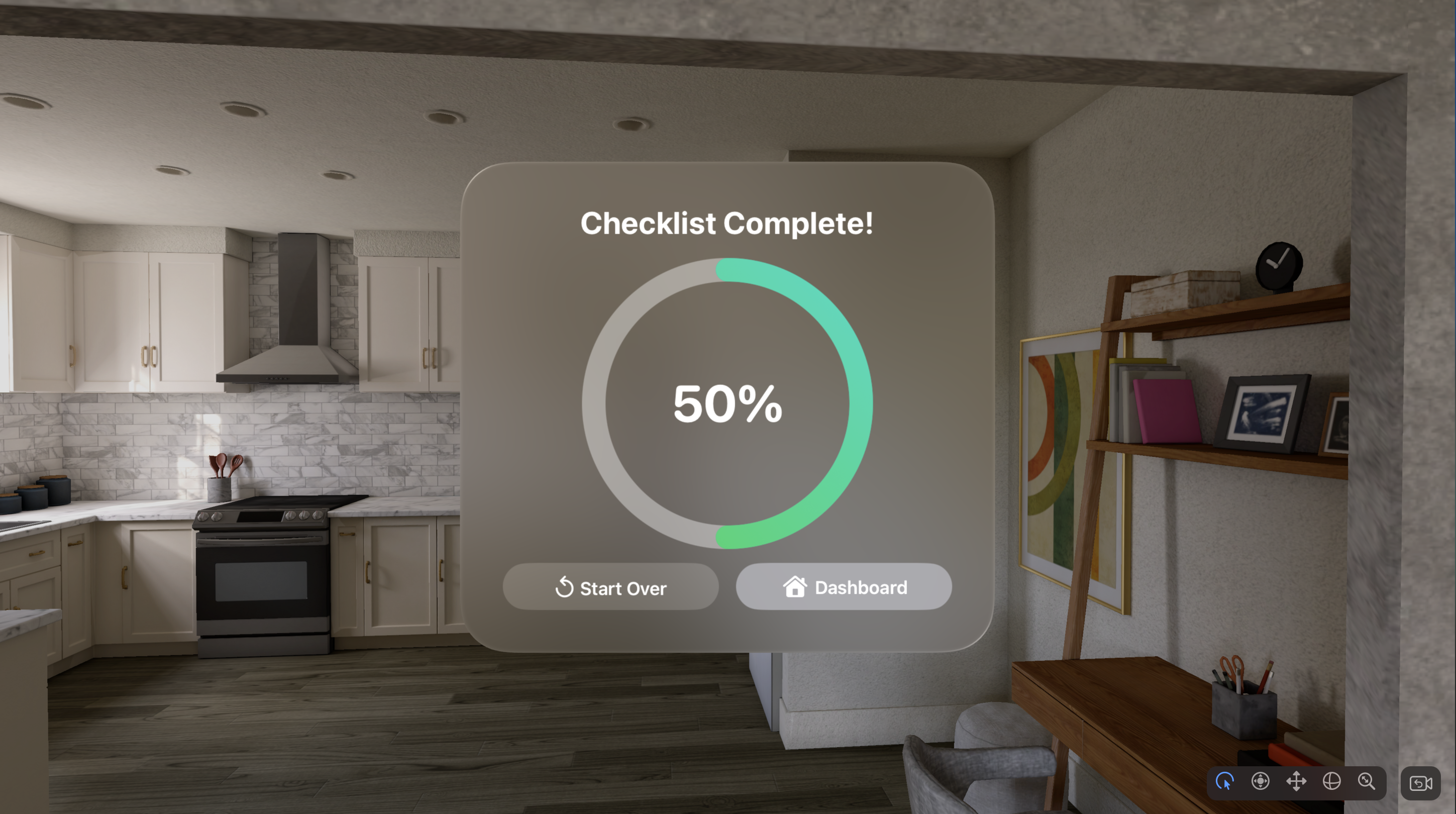
Upon completion, a comprehensive performance report is generated, making it ideal for certification, compliance, and skills validation.
Professional CAD to USDZ Conversion
Inservio Spatial Studio features a robust, automated conversion pipeline:
- STEP → GLB: Powered by Cascadio and the industry-leading Open CASCADE Technology (OCCT) kernel for high accuracy and support for complex assemblies.
- GLB → USDZ: Optimized using advanced export tools with material normalization, texture handling, and full compatibility for visionOS and Apple Quick Look.
- Support for large models, animations, metadata, and multi-language content.
Perfect For
- Industrial equipment training and maintenance
- Medical device education and surgical preparation
- Product demonstration and sales configuration
- Assembly and manufacturing procedures
- Technical onboarding and vocational training
Frequently Asked Questions
Does it support large and complex STEP files?
Yes. The platform is built to handle large multi-part assemblies with high precision.
Is multi-language support available?
Yes. Steps support multiple languages with Text-to-Speech narration.
Are the exported USDZ files fully compatible with Apple Vision Pro?
Yes. Files are optimized for visionOS, spatial interactions, and high performance.